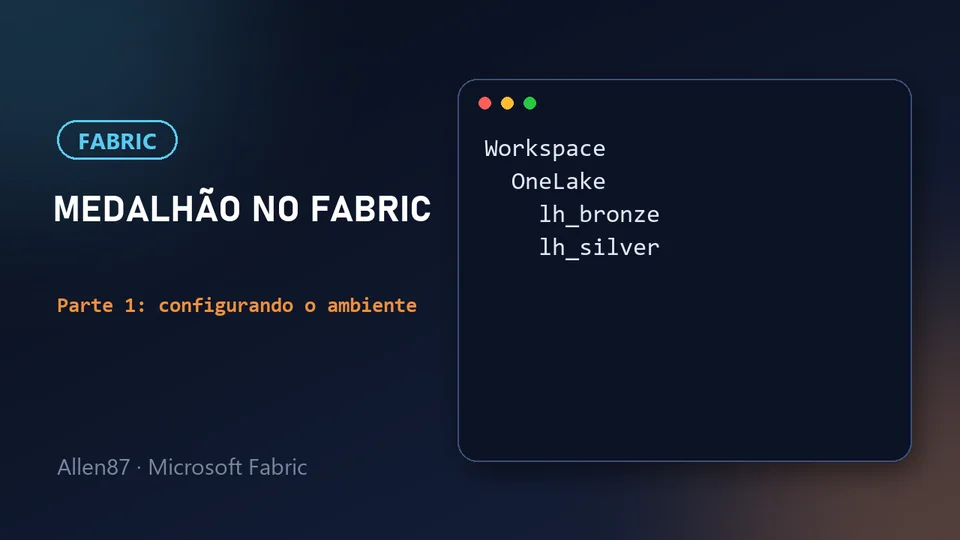
This is part 1 of a series of studies on Microsoft Fabric. Along the way I'll build, hands-on, a medallion architecture: a sales CSV file that goes through the bronze and silver layers until it becomes a table ready for querying.
This first part has no code. We'll set up the environment: account, capacity, workspace, OneLake and the idea of a lakehouse. If you've never opened Fabric, this is the starting point, and I'll explain each term calmly.
In one sentence: before storing any data, you need a place for it, and that place has a hierarchy (tenant, capacity, workspace, lakehouse).

How I'm studying
To study, I use Google's NotebookLM. I loaded Microsoft's references into it (the Microsoft Learn modules and labs) plus a few YouTube videos, and I use it as support to clear up doubts about that material. That's why this project's workspace is called dp700_notebooklm.
What we're going to build
The medallion architecture organizes data into layers, and each one makes the data a bit more reliable than the previous one:
- Bronze: raw data, exactly as it arrived from the source.
- Silver: clean, standardized data (duplicates removed, types fixed, nulls handled).
- Gold: data ready for consumption, modeled for reports and analytics.
The series is split like this:
- Part 1 (this one): setting up the environment.
- Part 2: bronze layer and the CSV file.
- Part 3: silver with a shortcut and a notebook.
- Part 4: cleaning the data and creating the Delta table.
- Part 5: querying with the SQL analytics endpoint.
The gold layer comes next, as I move forward in my studies.
Quick glossary
These terms will show up throughout the series. If some look strange now, that's fine: each one is explained at the right time.
| Term | What it is, in a few words |
|---|---|
| Tenant | Your organization's space in Microsoft Entra ID. All users, capacities and workspaces live inside a tenant. |
| Capacity | The compute resources Fabric uses to run your work. |
| Workspace | The work area, your project. It holds the items and controls who has access. |
| OneLake | Fabric's storage, a single one for the whole organization. |
| Lakehouse | The item where data is stored, with files and tables. |
| Delta | The format of the lakehouse tables (we'll see it in part 4). |
What you need before you start
You need two things: access to Fabric and a capacity attached to your workspace.
What is a tenant
The tenant is your organization's space in Microsoft Entra ID (Microsoft's identity service, formerly called Azure Active Directory). Think of it as "the whole company" inside the Microsoft world: it's where the users live, and it's inside it that Fabric organizes capacities and workspaces.
In practice, if you sign in to Fabric with a work or school account, your tenant is your company's or school's. A tenant administrator can turn features on and off for everyone, and that includes the free trial we'll see next.

What is a capacity
The capacity is the "horsepower" Fabric reserves to run what you do: read data, run a notebook, refresh a report. A tenant can have one or several capacities. Without a capacity attached to the workspace, you can't create lakehouses or notebooks.
There are two paths: a paid capacity, or Fabric's free trial. For studying, the trial is the simplest option. According to Microsoft's documentation, it gives free access for 60 days.
Activating the free trial
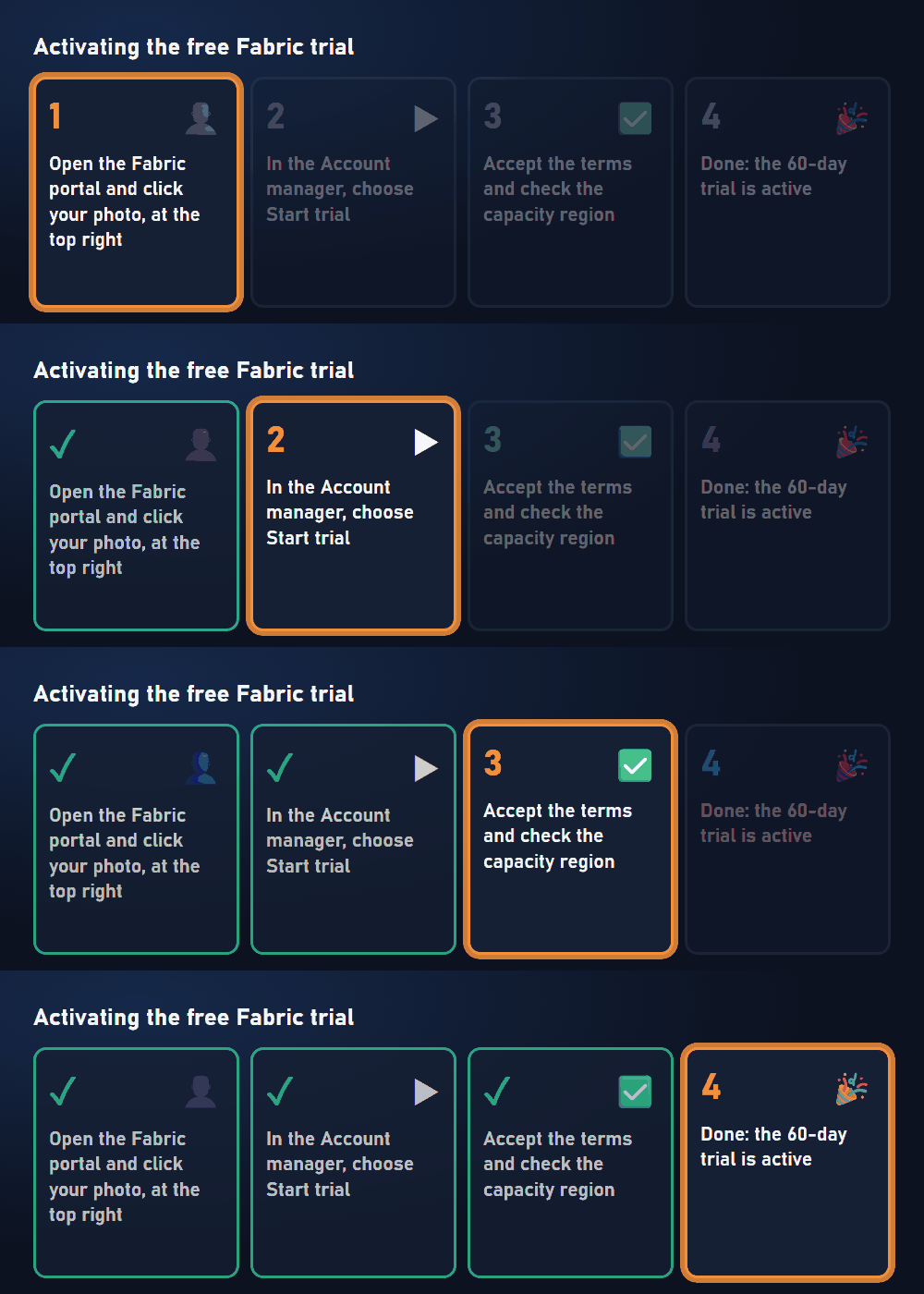
The path, according to the documentation, is this:
- Open the Fabric portal (
app.fabric.microsoft.com) and click your photo, at the top right. This opens the Account manager. - In the Account manager, choose Start trial.
- Accept the terms and check the capacity region. It defines where your data will be processed.
If you don't see the Start trial option: the trial may be disabled in your tenant. In that case, the tenant administrator needs to enable it. The documentation explains the conditions and the alternatives.
Microsoft documentation: Microsoft Fabric trial capacity. To understand how tenant, capacity and workspace relate, see Microsoft Fabric licenses and capacities.
Workspace: your project
The workspace is Fabric's work area. Think of it as your project: it holds your items (lakehouses, notebooks, pipelines, reports) and is where you control who has access. Every workspace is attached to a capacity.
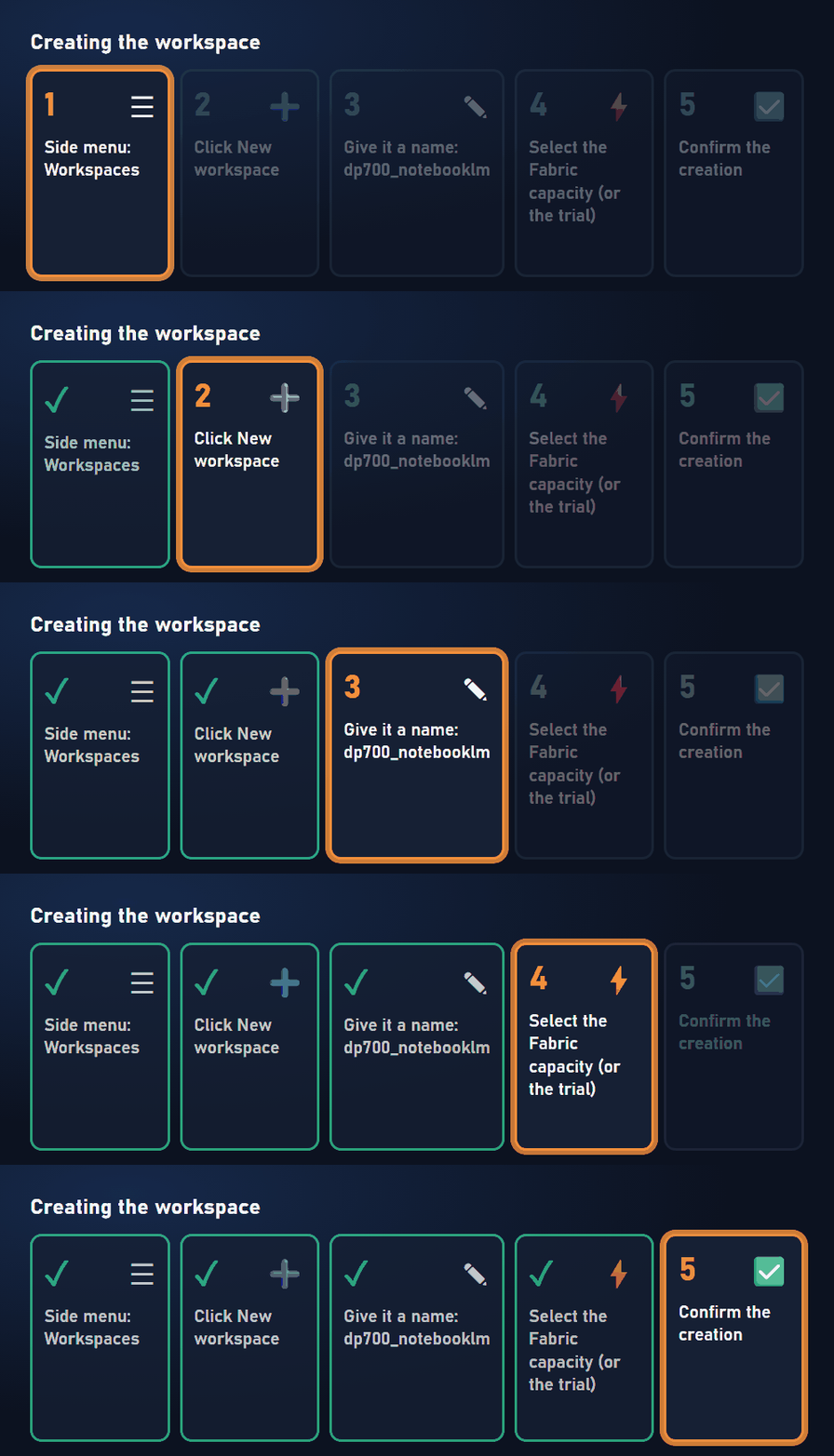
To create one:
- In the Fabric portal, open Workspaces in the side menu and click New workspace.
- Give the workspace a name. I used
dp700_notebooklm, lowercase with no spaces. - In the license settings, select the Fabric capacity (or the free trial).
- Confirm the creation.
Tip: button names may vary a little depending on the portal version and language, but this is the path.
Microsoft documentation: Create a workspace.
OneLake: where the data lives
OneLake is Fabric's storage. The best analogy is a single, centralized data lake for the whole organization. You don't need to create it: it already exists in your tenant, and everything you create in the workspace is stored in it automatically.
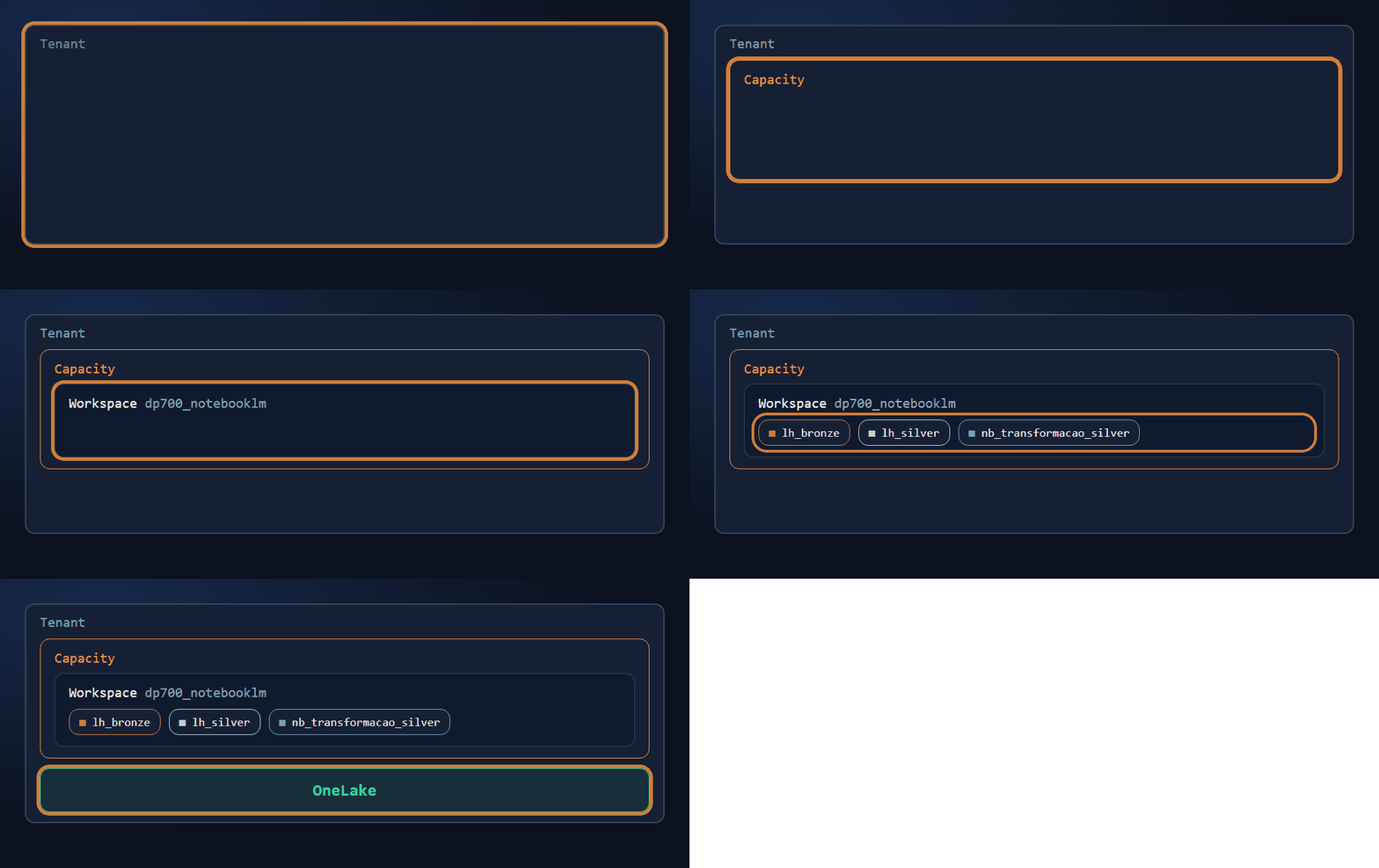
The animation shows how the pieces fit together, from the outside in: the tenant has a capacity, the capacity powers the workspace, the workspace holds the items, and the data of those items lives in OneLake.
Microsoft documentation: OneLake overview.
Lakehouse: where the data sits
The lakehouse is the item where data lives inside the workspace. It has two areas:
| Area | What it's for |
|---|---|
| Files | Files in their raw state, in any format (CSV, TXT, PDF, JSON...) |
| Tables | Managed tables in Delta format |
Every lakehouse also automatically gets a SQL analytics endpoint, which lets you query the tables with T-SQL. We'll use it in part 5.

One lakehouse per layer
The strategy I adopted (a good practice, not a fixed rule) was to create one lakehouse for each layer:
- lh_bronze: the bronze layer.
- lh_silver: the silver layer.
The names follow a pattern that helps identify each item by its prefix:
| Prefix | Item type | Example |
|---|---|---|
lh_ | Lakehouse | lh_bronze |
nb_ | Notebook | nb_transformacao_silver |
Microsoft documentation: What is a lakehouse in Fabric and Medallion lakehouse architecture in Fabric. For practice, there is also the training module Organize a Fabric lakehouse using medallion architecture design.
Summary
- The medallion architecture separates data into layers: bronze (raw), silver (clean) and gold (ready for consumption).
- The tenant is your organization's space in Microsoft Entra ID, and it's where capacities and workspaces live.
- The capacity is the compute horsepower. For studying, you can use the 60-day free trial.
- The workspace is the project, and it must be attached to a capacity.
- OneLake already exists in the tenant and stores the data of everything you create.
- The lakehouse has Files (raw files) and Tables (Delta tables), and we'll use one per layer.
In part 2, we'll create lh_bronze and load the CSV file.