Building efficient DAX measures is essential to make sure your reports perform well. Two good practices help a lot here: using VAR and using SWITCH, each with a different role.
SWITCH is used to simplify conditional expressions that need to return different values based on several conditions.
Consider the following DAX measure, which evaluates the performance of a measure called [Variance]:
Variance KPI = IF([Variance] > 0.80, "Amazing!", IF([Variance] > 0.60, "Good", "Bad"))Although it works correctly, you can notice that there are a few nested IFs and that the [Variance] measure is called more than once in this expression.
This increases unnecessary processing, especially in models with large volumes of data. This formula can be more efficient — and more readable too.
The solution with SWITCH and VAR
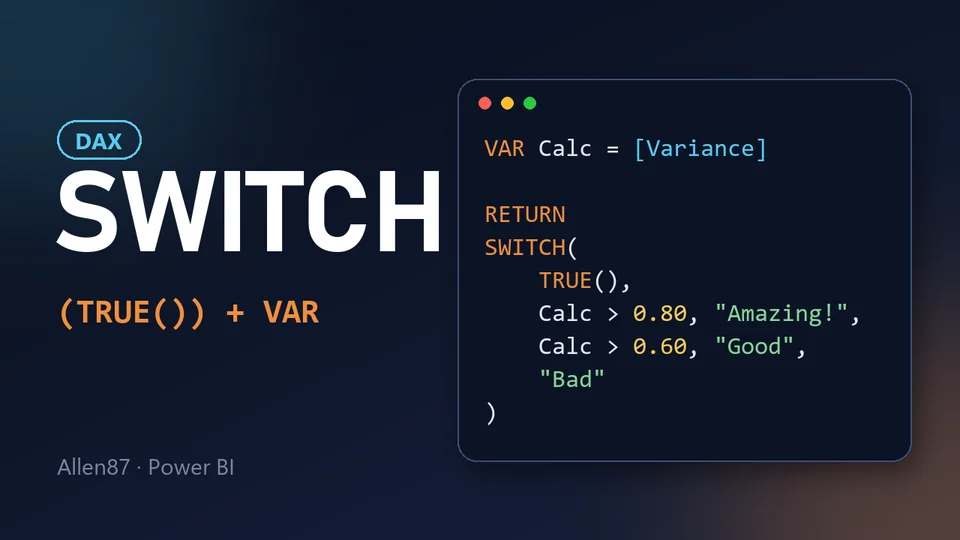
Restructuring the measure with SWITCH(TRUE()) and an intermediate variable, we get the optimized version:
VAR Calc = [Variance]

RETURN
SWITCH
(
    TRUE(),
    Calc > 0.80, "Amazing!",
    Calc > 0.60, "Good",
    "Bad"
)
The Calc variable stores the value of [Variance] only once, which removes the need for further calls to this measure.
Each feature has its own role:
- VAR → performance: the value is calculated once and reused. This is where the performance gain comes from.
- SWITCH(TRUE()) → readability: on its own, SWITCH is not faster than nested IFs. What it brings is cleaner code: the conditions are lined up, in the order they are evaluated, and are easy to read, understand and maintain in the future.
One more example: classifying target attainment
Here is a measure that classifies sales results against a target. In the version with nested IFs, both [Total Sales] and [Target] are called several times, and the logic is buried inside parentheses:
Goal Status =
IF([Total Sales] >= [Target] * 1.2, "Exceeded",
    IF([Total Sales] >= [Target], "Met",
        IF([Total Sales] >= [Target] * 0.8, "Almost there", "Below")))
Rewriting it with VAR and SWITCH(TRUE()):
Goal Status =
VAR CurrentSales = [Total Sales]
VAR CurrentTarget = [Target]
RETURN
SWITCH(
    TRUE(),
    CurrentSales >= CurrentTarget * 1.2, "Exceeded",
    CurrentSales >= CurrentTarget, "Met",
    CurrentSales >= CurrentTarget * 0.8, "Almost there",
    "Below"
)
What changed:
- Performance (VAR): each measure is calculated once, instead of three calls to
[Total Sales]and three to[Target]in the previous version. - Readability (SWITCH): the four bands appear one under the other, and changing a rule means editing a single line.
- Order matters: SWITCH(TRUE()) returns the result of the first true condition, so the bands must go from the most restrictive to the broadest (from
>= CurrentTarget * 1.2down to>= CurrentTarget * 0.8).
Best practices with SWITCH and variables in DAX
- Prioritize using variables: Whenever possible, store values in variables to avoid repeated calculations. This is where the performance gain comes from.
- Replace multiple IFs with SWITCH(TRUE()): This makes the code more readable, organized and easier to maintain.
- Test your measures: In large models, simple changes can bring significant efficiency gains. Compare before and after with the Performance Analyzer in Power BI Desktop.
📚 This article was based on a question from the Microsoft practice assessment for the DP-600 exam.